 Travel Tips
Pay in local currency or pounds? The card machine question
When a card machine, cash machine or hotel desk abroad offers to charge you in pounds, what the choice means, what the screen must show and what to press.

The short versionChoose the local currency: paying in pounds lets the shop, restaurant, hotel or cash machine convert the amount at a rate it sets, which Which? says is usually worse than your card provider’s. Your own card’s fees for spending abroad still apply either way, so it pays to know them before you go.
When a card machine, a cash machine or a hotel desk abroad asks whether you want to pay in pounds or in the local currency, choose the local currency: euros in the eurozone, koruna in Prague, francs in Switzerland. Paying in pounds lets the business’s payment provider convert the amount at a rate it sets, and Which? says that rate is usually worse than your card provider’s; its advice is “Whatever card you use, always choose to pay in the local currency.” The rest of this guide shows what the choice looks like at a restaurant table, a cash machine and a hotel desk, what the screen and receipt have to show you, and what to do if it went wrong. It explains how the choice works; it doesn’t recommend any card or account.
The short answer: choose the local currency
Every time the screen offers two currencies, press the local one: that is Which?’s advice whatever card you use, and MoneySavingExpert’s too, at shops, hotels and cash machines alike. It leaves the conversion to your own card provider, at its own rate and with its own published fees.
Choosing the local currency doesn’t make a payment free. Your card may still charge a fee for spending in another currency, and a cash machine may add a fee of its own. Those are covered below, but they apply whichever button you press, so they don’t change the answer.
What dynamic currency conversion is
Dynamic currency conversion is the name for a shop, restaurant, hotel or cash machine offering to convert the payment into your home currency at the moment you pay. Visa describes it as retailers or cash machines offering to convert a transaction into your home currency, with the exchange rate and additional fees included in the amount you see.
There are two routes for the same €50 bill:
- You pay in euros. The machine charges €50. Your card provider converts it into pounds at its own rate and adds its foreign transaction fee, if it has one.
- You pay in pounds. The machine converts the €50 into pounds itself, at a rate its payment provider sets, with its margin built in, and your card provider receives an amount already in pounds.
The pounds figure can look reassuring, because you know there and then what you’ll pay. The cost is in the rate. Which? reports NatWest research that found one accommodation provider in Spain charging up to 13% more when customers paid in pounds rather than euros.
At the table: card machines in restaurants and bars
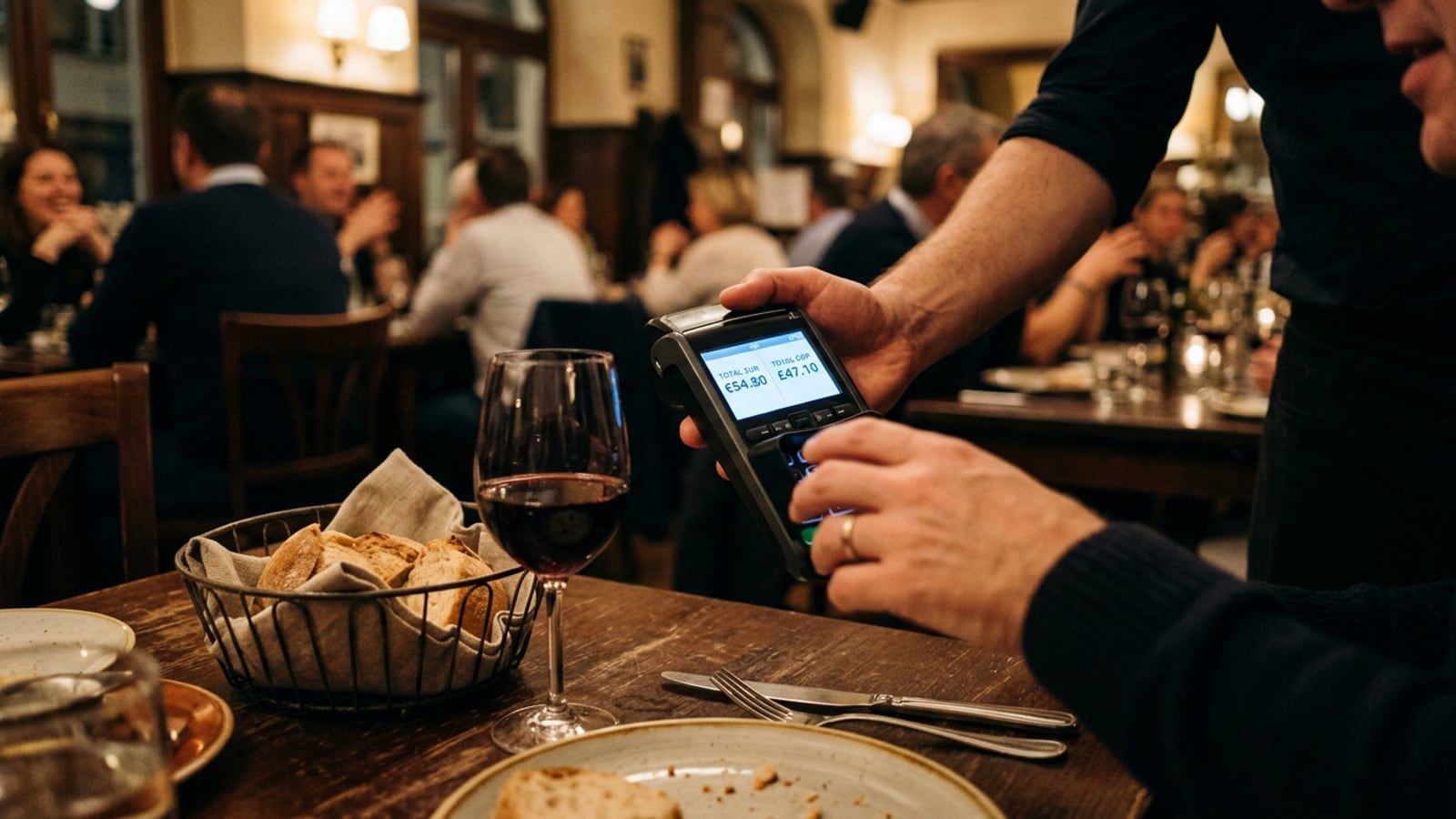
The card machine usually comes to the table once the bill is settled. After the amount is keyed in and you present a UK card, the screen may show two amounts, one in the local currency and one in pounds, sometimes with an exchange rate and a mark-up beside the pounds figure.
- Look at both amounts and find the one in the local currency, with its currency symbol.
- Press the local currency yourself. If the server hands you the machine with a choice already made, ask them to cancel it and start again.
- Don’t be steered by the layout. Visa says providers should not use different font sizes or colours to influence your decision.
- Check the receipt before you put it away: the total should be in the local currency.
The bill you planned for is in the local currency anyway: the prices on a menu, or in a guide such as the dinner entries in City Tables, are the ones the restaurant charges. Paying in pounds doesn’t change that price, only who converts it and at what rate.
If you’re adding a tip on the same machine, how much and how is its own question: our guide to tipping in Europe covers it country by country.
At a cash machine
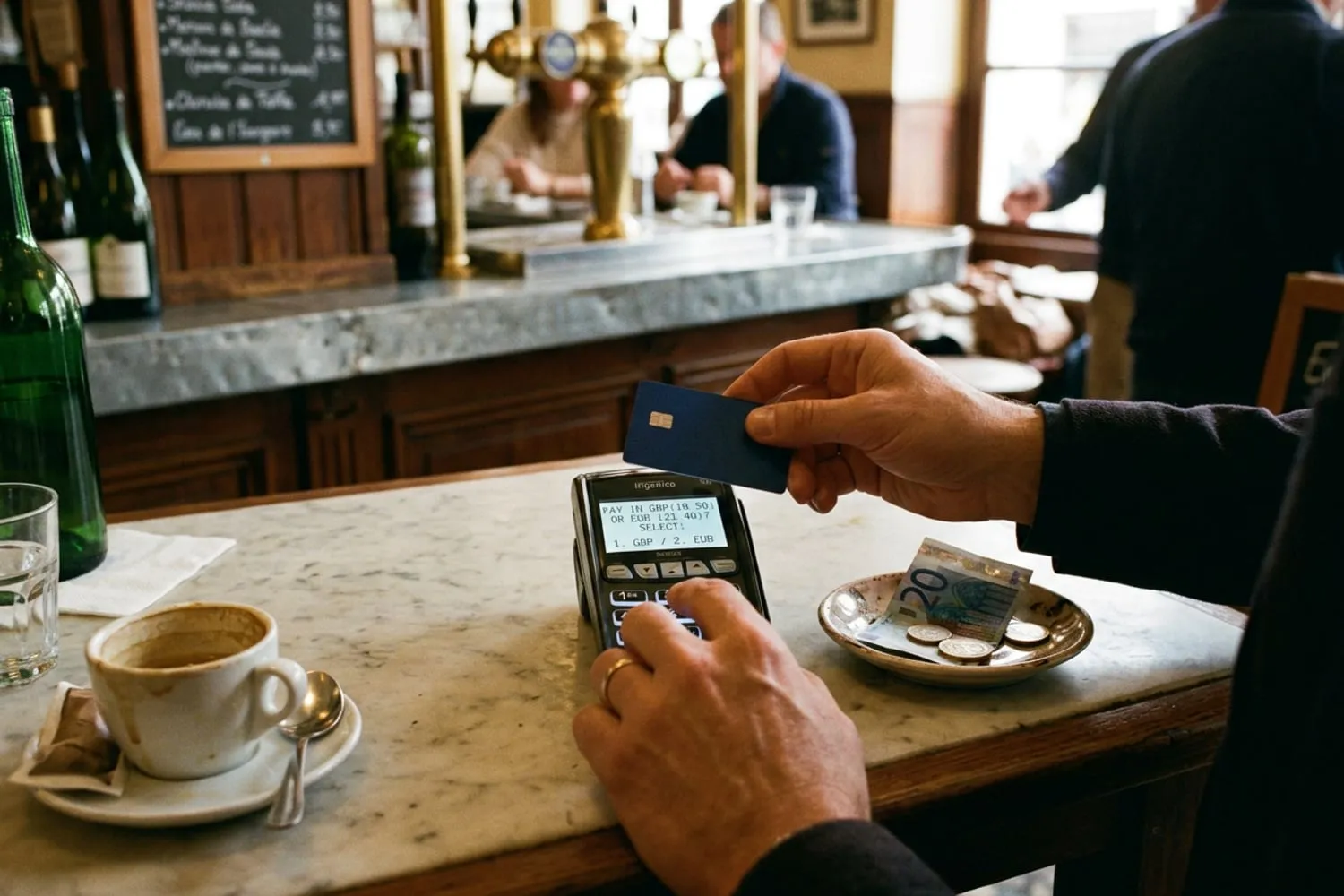
The same offer appears at many cash machines abroad, after you choose how much to take out: a screen showing the withdrawal converted into pounds at a stated rate, with the choice to accept or decline the conversion.
- Choose the amount in the local currency.
- Decline the conversion when the machine offers to charge you in pounds.
- Read any fee the machine shows before you confirm. Declining the conversion doesn’t remove the machine’s own fee; if you don’t want to pay it, cancel and find another machine.
- Take the receipt and check that the withdrawal is shown in the local currency.
Which? says that taking money out abroad usually costs your card’s fees and sometimes an extra fee from the cash machine itself, and that standalone machines often charge more than those attached to a bank. Taking out what you need in one go means fewer fees.
At the hotel desk and online
The question comes up again at checkout, and sometimes at check-in, when the hotel takes your card details for a deposit or a hold on the room. The card machine on the desk works like the one at a restaurant table, and the same rule holds. If you would rather settle it in advance, say at check-in that you want to be charged in the local currency, and check the final bill before you sign or tap.
Online, the choice is often a currency menu or a line at checkout on a hotel’s, airline’s or shop’s own website abroad, and it can be easy to miss. If a site prices something in euros and then offers to bill you in pounds, it is offering the same conversion, at its own rate.
Paying at the desk raises other questions too, from deposits to city taxes; our guide to whether it’s cheaper to book a hotel direct covers them.
What the machine has to show you
Two sets of rules apply when a merchant or cash machine offers to convert a payment.
Visa’s rules. Visa says merchants and cash machines should give you a choice to accept or decline currency conversion and must not choose on your behalf. It requires them to clearly display, on the screen and on the receipt:
- the purchase or withdrawal amount in the local currency and in your currency;
- both amounts with their currency symbols;
- the exchange rate used for the conversion;
- any additional fees or mark-up.
If you don’t see those details, or feel pressured to choose one currency over the other, Visa recommends you decline the conversion and report the incident to your card issuer.
The EU’s rules. In the EU, Regulation (EU) 2021/1230 covers card payments and cash withdrawals in euros, or in another EU country’s currency, that involve a currency conversion. Before you pay, whoever offers the conversion at a cash machine or a card machine has to show its total conversion charges as a percentage mark-up over the latest euro reference rates published by the European Central Bank.
The mark-up as a percentage is the useful number: it lets you compare the machine’s offer with your own card’s fee. If your card was issued by a bank in the EU, the regulation also requires the bank to send you an electronic message with its mark-up after a card payment or withdrawal in an EU currency other than your account’s. These are EU rules for payments in EU currencies, so they don’t cover a payment in Swiss francs, for instance; this guide doesn’t set out how UK law treats the same choice.
Your own card’s fees still apply
Choosing the local currency avoids the merchant’s conversion, not your own card provider’s charges. Which? lists the ones to look for:
- A fee for spending in another currency, often called a non-sterling transaction fee, usually a percentage of each payment. Some cards add a separate purchase fee as well.
- A fee for taking out cash abroad, charged by some banks on top of the conversion.
- The cash machine’s own fee, set by the machine’s operator, not your bank, which no choice of currency removes.
Your card provider lists these fees in the account’s terms and on its website. Some accounts and cards charge no fee of their own for spending abroad; our Kit lists two, with what each charges, as features rather than a recommendation. Which suits you depends on your own circumstances.
If you were charged in pounds without being asked
It happens: a server presses the button, or a hotel’s system defaults to pounds. What to do depends on when you notice.
- At the time: if the screen or receipt shows pounds before you leave, ask for the payment to be cancelled or refunded and taken again in the local currency.
- Keep the receipt, or photograph it. It should show the amount in both currencies, the rate and the mark-up.
- Ask the business to refund the difference, by email if you’ve already left, with the receipt attached.
- Contact your card provider. Visa recommends reporting the incident to your card issuer. Ask whether it can dispute the payment with the merchant’s bank, a process called a chargeback, and how long you have to do so.
- If your provider won’t help, use its complaints process. For a UK card provider, the Financial Ombudsman Service handles complaints the provider hasn’t resolved.
Tip: Before you travel, find the page in your card provider’s app or website that lists its fees for spending and taking out cash abroad, and take a screenshot. At a card machine with two amounts on the screen, you’ll know what your own card charges.
For more on money, phones and documents before a trip, see our Travel Tips section.
Questions
Is it better to pay in euros or pounds in Europe?
Which? and MoneySavingExpert both say to pay in euros, or whatever the local currency is. Paying in pounds means the merchant’s payment provider converts the amount at its own rate, and Which? says that rate is usually worse than your card provider’s. Your card’s own fees for spending abroad apply either way.
Why do card machines abroad ask if I want to pay in pounds?
Because the machine can recognise a card issued in another country and offer to convert the bill into its home currency on the spot. The service is called dynamic currency conversion, and the conversion, with its margin, is carried out by the merchant’s side rather than your card provider. Visa’s rules say the merchant must give you the choice and must not make it for you.
Should I choose to be charged in pounds at a cash machine abroad?
MoneySavingExpert’s advice covers cash machines too: decline the conversion and take the withdrawal in the local currency, so your own card provider does the conversion. Declining doesn’t remove the cash machine’s own fee, if it charges one, or your card’s fee for cash abroad, so read the screen before you confirm.
What should I do if I was charged in pounds without being asked?
If you notice before you leave, ask for the payment to be cancelled and taken again in the local currency. Otherwise keep the receipt, ask the business to refund the difference, and contact your card provider, which Visa recommends: ask whether it can dispute the payment for you.
Sources
- Regulation (EU) 2021/1230 on cross-border payments in the Union (codification), EUR-Lex
- Dynamic currency conversion explained, Visa
- The cheapest way to spend money abroad, Which?,
- Cheap travel money, MoneySavingExpert